UPDATED May 5 2010
Note: I don’t personally own an N310. I don’t have access to one either, as the owner of this one went back to the States with it.
Updates to this page are mostly from the comments people have made. When I can assist I have / will, but as I don’t own an actual N310, I rely on you for feedback!
One of my friends brought round a notebook for me to Hackintosh yesterday. Unlike the usual god no… kind of options I get given, this is actually a nice machine.
This one is almost as Mac friendly as my current Nano sized Hackintosh (aka Loz’s Hackbook Nano)
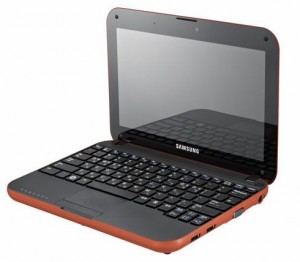
I present the next best thing in Mini Mac’s (until the will it? won’t it? Mac Tablet comes out! (ok, so it came out already, and its a bit meh..) ) – The Samsung N310
The Samsung is a generic Atom based Netbook with the following hardware:
CPU Intel Atom N270, 1600 Mhz
Chipset Intel 82945GSE Graphics Controller
Graphics Card Intel GMA 950
Audio Realtek ALC272
Wifi Atheros AR5007EG Wireless
Ethernet Marvell Yukon 88E8040 PCI-E Fast Ethernet
Bluetooth Adapter USB Based Generic
Webcam USB Based Namuga 1.3M
Installation is remarkably easy.
You’ll need the following things – an External USB DVD drive, and Snow Leopard.
Suggest before you install anything, update your BIOS to the latest version. This should be something like BIOS version 06BA or newer.
The bios updates are windows only, so you’ll need to do that before installing OSX, or have some other method of booting into Windows afterwards (google for Hiren Boot CD 10 for something that will provide a bootable Windows XP amongst other tools).
There are two bios files that are available currently. This first one is the one that you will likely have to use:
http://downloadcenter.samsung.com/content/FM/201002/20100203094911375/Win_N310_06BA.exe
And here is the second one:
http://downloadcenter.samsung.com/content/FM/201003/20100302094206890/Win_N310_01BD.exe
CHECK YOUR VERSION OF YOUR BIOS IN YOUR BIOS. IF YOUR VERSION ENDS IN A “BA”, USE THE FIRST ONE. IF IT ENDS IN “BD”, USE THE SECOND ONE.
Ready?
Download the latest NetbookInstaller ISO from here – http://osx.mechdrew.com/downloads/
Burn to CD. Connect your USB drive to the N310, and boot off of the newly burned CD.
Follow the instructions to swap with your Snow Leopard DVD at the appropriate time, and boot into the installer.
Install as normal (in my case, I just wiped the existing partitions, set the boot type to GUID instead of MBR in Partition, Options, and did a full install)
Once the OS reboots (or finishes with a cannot install error right at the end – don’t worry, its not a problem!).
Reboot into the NetbookInstaller ISO again, but this time choose the HDD (as we still need to install a valid bootsector for the OS to run)
The OS should boot up ok, fill in the relevant bits and pieces, and get to the desktop screen.
Open up NetBookMaker from the CD, navigate to the Tools folder and open NetbookInstaller:
I did this using 0.8.3RC4, but newer versions should be similar. Current version is 0.84rc1 as of April 2010.
Click Continue for the Unrecognized Hardware Prompt.
Choose the correct disk in the Volume Dropdown, and
Check Install Chameleon 2
Check Install General Extensions
Check Generate a System Specific DSDT.AML file.
Uncheck everything else.
Click Install.
It should trundle away for a few minutes, then recommend you reboot.
Remove the NetbookInstaller DVD, and make sure that you can reboot ok from the Hard Drive
Right now you should have working Webcam, Video, Bluetooth, and Trackpad will support 2 finger scroll (go to System / Preferences/ Trackpad to configure)
We’re still missing Wifi, Audio, and you’ll notice that sleep doesn’t quite work yet.
To install those, we’ll need to set some BIOS parameters, and replace the wifi card.
Wifi – the original card is a crap atheros. I couldn’t be buggered looking for drivers, and immediately swapped it out for a Dell1390 Broadcom card. Cheap, and the same as real Macbooks, so no driver issues. Should be about $8 on eBay (RMB50 or so locally in China on Taobao).
The N310 is reasonably easy to disassemble, just remove all the plastic plugs underneath (including the larger feet ones), and remove the screws. Gently remove the case bottom, and replace the wifi card.
If you use the Dell1390 you won’t need to install any drivers, they’re built in, yay!
Enabling Sleep / Brightness (working on 10.6.3 / BIOS 06BA apparently ) -
Go into the BIOS and set the following:
EDB = Enabled
Legacy USB Support: Disabled
USB S3 Wake-Up = Enabled
Boot into OSX
You’ll need to replace the DSDT.aml from NetbookMaker with the one below.
I’ve uploaded a DSDT.aml for the n310 here – DSDT.aml.
To use, rename file to DSDT.aml, and copy to /Extra, then reboot.
This also apparently works for Brightness control with the latest BIOS revision on 10.6.3. You’ll have to change brightness from the System Prefs / Displays / Brightness though, as the function keys aren’t mapped.
Note: If you do mess around with DSDT.aml files, please have a working recovery method available that you can access the hard drive with (eg an OSX Install DVD + Boot132 CD). Apple’s install DVD can also be used for recovery.
If you find that you can’t boot after installing the DSDT.aml, boot from the Boot132 CD or USB, then boot into to the OSX install DVD. Go to terminal in the installer, and delete the offending file, then reboot.
For the remaining drivers:
Download the zip below for modified Bluetooth (to enable bluetooth on / off keyboard switch), and 10.6.3 compatible Audio drivers (kexts) for the N310.
Thanks to Breathless for modifying the Bluetooth, and emailing me both files.
Samsung N310 Audio and Bluetooth Kexts
Copy to /Extras/GeneralExtensions, then rebuild the Extension cache.
You can do that manually or use a tool. NetbookInstaller nicely places a program called UpdateExtra into the /Extra folder which can rebuild the Extension cache for you. Reboot once done, and you should be good.
Thats pretty much it!
—-
Now you should have a fully working Samsung N310 running OSX Snow Leopard!
The brightness (via Displays System Prefs panel), sleep, audio and bluetooth should all be working fine. The wifi too (assuming you replaced the mini pci-e card as recommended)
The volume on/off keyboard functions should work, the trackpad on/off.
Thanks to Breathless for the feedback so I could update this page.
Good luck with yours!
Useful links:
http://www.kexts.com – kexts (drivers) for OSX
http://www.superhai.com/darwin.html – Power related drivers for OSX
http://osx.mechdrew.com/ – MechDrew from MyDellMini’s site on Hackintosh Installs
http://cid-8b65993ef55cf014.skydrive.live.com/browse.aspx/.Public/OSx86/Snow%20Leopard – some Czech site hosted on live.com full of goodies/ kexts
383 Comments to “Samsung N310 (Samsung Go) Hackintosh Installation on Snow Leopard”
Post comment
Archives
- December 2011
- November 2011
- October 2011
- September 2011
- July 2011
- May 2011
- April 2011
- March 2011
- February 2011
- January 2011
- December 2010
- November 2010
- October 2010
- September 2010
- August 2010
- July 2010
- June 2010
- May 2010
- April 2010
- March 2010
- February 2010
- January 2010
- December 2009
- November 2009
- October 2009
- May 2009
- April 2009
- March 2009
- February 2009
- January 2009
- December 2008
- November 2008
- October 2008
- September 2008
Categories
- Apple
- Badges
- BMW
- China Related
- Cool Hunting
- Exploits
- Firmware
- Food
- General Talk
- government
- IP Cam
- iPhone
- Lasers
- legislation
- MODx
- MySQL
- requirements
- Service Issues
- Tao Bao
- Technical Mumbo Jumbo
- Things that will get me censored
- Travel
- Uncategorized
- Useful Info
Most Popular Posts
- Samsung N310 (Samsung Go) Hackintosh Installation on Snow Leopard (9943)
- BMW Keys and Transponders E36 E38 E46 etc (EWS2) (7420)
- eFrontWPI - Wordpress integration Plugin for eFront (7338)
- IPCam Hacking - pt#2 (6796)
- IP Cam Hacking – pt#5 (4708)
Tags
Recent Comments
-
tryphon: It helped me to fix mine. I used a pair of pliers like you did and it worked fine. I drink a coffee typing...
-
mark: I have a ms10105 v4.1 moshisoft board and here is the pinout: 1 y stepper a (yellow) 2 y stepper a (white) 3...
-
Lawrence Sheed: Haven’t taken a deep look yet, probably next month can check it out. There are people who are...
-
mark: Yes…that moshi software is crap. I used the corel draw plugin for awhile but it only works about 20% of...
-
Kunlun: I tried to get my motorbike lesson after my car driving lesson, they answered me that I needed to wait 1...
Recent Trackbacks
- SISTEMAS O.R.P: Recuperar una cámara Zaapa CIP-RW después de un fallo de actualización
- Blog - DO Bots: Brookstone Rover AC13
- How can I stop Pop3 Brute Force attacks: need to create a regex, and add it to fail2ban Here is a guide....
- shanghailoz is our latest member! -:
- Probleem bij installatie op Samsung N310:


ICP Permit
Webmail
Newsletters
Support

I didn’t get a chance to do any of the DSDT stuff this weekend. However, I’m currently typing this on the N310 without a power adapter. The battery meter says just under 6 hours left. That’s with wireless going, firefox with six tabs open and transmission going with two torrents.
When I had no apps running, and wireless turned off (when I first booted) it was reporting ~5:40 left. Mind you this was a boot without the power adapter plugged in, so the screen is at the lowest brightness setting. I left it to sit for about 15 mins. The meter then said that there was 7:10 left. I think the meter has to go through a complete battery cycle to adequately gauge usage.
On the sleep issue, it seems that the bluetooth adapter is the problem. I’ll try disconnecting it and then testing this weekend to be certain. I’m going to look at using a custom kext to enable the option to turning off the BT adapter. You can read about it here: http://tinyurl.com/yaquztc
I’ll report back on my results.
I’d be very interested to hear your reports on the battery issue. I really want to run OS X on my N310, but not if I’m going to lose hours of battery life.
Battery life would be dependant on what you use, rather than the OS per se.
OSX is reasonably good at saving battery compared to other more popular OS’s.
Tips from me – look into the CoolBook extension – http://www.coolbook.se/CoolBook.html, with that you can underclock the CPU and get even longer battery life.
The big hog however is as always the screen. Make sure that the screen brightness is not set to 100%. If you want to change it on the fly, you’ll need to disable the BIOS automatic brightness setting, and set brightness to as low as you can use. For changing the brightness on the fly in OSX, you can download a small script. Haven’t tried this, but should work – http://rapidshare.com/files/308625309/Brightness.zip. (Excuses include – China firewall, blocking, rapidshare blows balls from China speedwise, even when working)
What else – oh, don’t default to using flash all the time. Flash sucks cpu like no tomorrow, so use Flashblock, and its Safari equivalent plugin click to flash. Get that here – http://rentzsch.github.com/clicktoflash/.
I’d also recommend downloading the free and very useful iStatPro – http://www.islayer.com/apps/istatpro/, as it has a nice process usage viewer for dashboard.
While you’re getting stuff for dashboard, suggest try DeepSleep http://deepsleep.free.fr/, as this lets you put the computer into hibernate mode. Note that this may or may not work depending on whether you have sleep setup correctly (eg, installed the dstml file, and set the bios Execute Disable Bit = Enabled)
Ok so I installed it finally on my netbook
It went so smoothly up until the complete install.
When I copied the 3 kexts into the extra/generalextensions
folder then did the updateextra thing and restarted
I always get the
You need to restart your computer screen…
I’ve reinstalled twice….
I’m guessing it might be because I’m using the 10.5.x version
of the voodoobattery kext but the link for the 10.6.x version doesn’t work…
Can anyone send me the right version to my email?
shl615@gmail.com
Meanwhile, I’ll wipe the hard drive for the third time and do another re-install…. T~T
Just installed the Broadcom 1390 card. Wifi works, but then within a minute freezes the whole computer– mouse freezes, and I’m unable to move the mouse or force quit– can only hold down the power key and restart.
Any ideas?
Check your kext’s – make sure you haven’t added one for the previous card.
terminal -
ls -al /Extras/GeneralExtensions
See if you have any wifi ones in there. Maybe post your list here so i can see.
Took your hint to look at the kext files, and just in case, I re-installed them one more time. That did the trick. Wifi is working. Thanks!
I spoke too soon…
After the re-install of kext files, I was able to surf the internet via wifi for about 30 minutes without a problem. But the next time I tried, it froze again, and freezes at a different point ever time I use it. It does not seem to freeze the computer if i turn Airport off.
With Airport on, it sometimes will freeze while loading a page in Safari, sometimes when launching Safari, and once when not using any internet browser at all.
I’m wondering if I have a bad Broadcom 1390 card?
Here are my kext files:
-rwxr-xr-x 1 root wheel 15364 Jan 23 00:25 .DS_Store
drwxr-xr-x 8 root wheel 272 Jan 23 00:25 .svn
drwxr-xr-x 3 root wheel 102 Jan 23 00:25 AppleACPIBatteryManager.kext
drwxr-xr-x 4 root wheel 136 Jan 23 00:25 AppleACPIPS2Nub.kext
drwxr-xr-x@ 4 root wheel 136 Jun 10 2009 AppleHDA.kext
drwxr-xr-x 3 root wheel 102 Jan 23 00:25 AppleIntelGMA950.kext
drwxr-xr-x 5 root wheel 170 Jan 23 00:25 AppleIntelIntegratedFramebuffer.kext
drwxr-xr-x 4 root wheel 136 Jan 23 00:25 ApplePS2Controller.kext
drwxr-xr-x 3 root wheel 102 Jan 23 00:25 IO80211Family.kext
drwxr-xr-x 3 root wheel 102 Jan 23 00:25 IOATAFamily.kext
drwxr-xr-x 3 root wheel 102 Jan 23 00:25 NullCPUPowerManagement.kext
drwxr-xr-x 3 root wheel 102 Jan 23 00:25 OSXRestart.kext
drwxr-xr-x 3 root wheel 102 Jan 23 00:25 RealtekR1000.kext
drwxr-xr-x 3 root wheel 102 Jan 23 00:25 SMBIOSResolver.kext
drwxr-xr-x 3 root wheel 102 Jan 23 00:25 SleepEnabler.kext
drwxr-xr-x 3 root wheel 102 Jan 23 00:25 VAIOPEnabler.kext
drwxr-xr-x@ 4 root wheel 136 Dec 26 17:09 VoodooBattery.kext
drwxr-xr-x@ 4 root wheel 136 Nov 26 16:49 VoodooPowerMini.kext
drwxr-xr-x 3 root wheel 102 Jan 23 00:25 fakesmc.kext
Any suggestions are greatly appreciated…
Thanks!
For those who may run into the same issue… I think I may have solved this problem (Swapped Dell 1390 wifi card connects to internet but then freezes the computer).
As far as I can tell, there is a difference between versions of the Dell 1390 card.
The card that was causing crashes was:
Dell DW 1390 Rev A00
MPN: YH774
I ordered another card, and this one seems to work:
Dell DW 1390 Rev A04
MPN: PC559
Both are Broadcom BCM94311MCG, as far as I can tell.
That revision seemed to make all the difference.
I went ahead and followed this guide to get Snow Leopard on my N310. So far it’s really nice. A couple things are bothering me though:
1. Anyone have a suggestion on how to properly calibrate the display? I can’t seem to get it right as the blues always end up being more purple. I know this is a subjective thing, but any pointers are appreciated.
2. My fan appears to be on full all the time. Is that something I can adjust anywhere? It wasn’t doing that under Windows XP or Ubuntu.
I still have the issue with sleep while plugged in (using Iain’s DSDT) but that doesn’t bother me as much. Sleep on battery works perfectly.
@Jerome: 1. I don’t know about calibrating the display…mine look great?
2. My fan also runs all the time though at low speed I think…I’ve been thinking about trying smcFan control…anyone else tried it?
that’s strange about the display. mine looked really purple by default. it also seemed more grainy than my ubuntu installation. not a deal-breaker, but an annoyance nonetheless. i’m also having quite a bit of trouble getting two finger scroll to work correctly.
these are all relatively minor issues though. it’s pretty awesome to have snow leopard almost fully functioning on my $255 netbook.
Hi All,
i’m from france, and just buy a N310… 1 hour from now I had on my desk a WinXP and mac Mcbook Pro, Now, i get 2 mac…
Just try to make wifi work (waiting for my 1390 card to be delivered)… Even if its ugly do some one have a solution to make this Atheros working ?
I installed the IO80211Familly Kext, but it do not work… (no wifi on the menu bar, no wifi on system pref/network…
And thks for this very good tutorial ! Thks all for your input
Hi,
I downloaded the netbookinstaller rc4, and booted into the cd, but after i put in the snow leopard dvd and hit F5, it just keep telling me there are “ebios read error”, what should i do? please help.
Installation is going well so far, Thanks.
I’m new to this level of computing. The .kext I downloaded following your link for the AppleHDA…Samsung_NC10 doesn’t have the .kext file extension. Do I just add the .kext extension or am I missing something.
BTW this is great.
has anyone tried the newest samsung bios? i read somewhere that the recent bios update for some other sammy netbooks fixed the brightness keys issue. just wondering if any of you tried it with the n310 yet.
I’m still using version 05. I just wish I my fan did not run constantly.
Anyone have any fan issues?
-A
I do I install the BIOS when I no longer have WIndows on my netbook??
How do I install the BIOS when I no longer have WIndows on my netbook??
Thank you guys for the great post and comments. I however have 2 unresolved problems:
1. After a bit of use on battery, when I plug the power cord back in, the system still thinks that it is under battery mode, although it is charging the battery.
2 While on power, when I put the system to sleep, it goes to sleep just briefly and wakes up right back.
Any fix for these two problems?
Thanks a bunch!
Sorry, but I forgot another issue:
3. Brightness!
Thanks!
Hi!
thanks for this awesome guide!
My n310 is being shipped right now, and I wanted to order the
wireless card so it’ll come together.
can I just use one from a macbook like this one?
http://cgi.ebay.com/Macbook-Original-Wireless-WIFI-Card-802-11n-AR5BXB72_W0QQitemZ300388902409QQcmdZViewItemQQptZLH_DefaultDomain_0?hash=item45f092e609#ht_500wt_956
or does only the dell broadcom 1390 work?
also where did you get the broadcom card?
I could only find it on ebay…..
is this even the right one?
http://cgi.ebay.com/Broadcom-Wireless-Mini-PCI-E-Card-DELL-DW-1390-AirPort_W0QQitemZ320485940880QQcmdZViewItemQQptZLaptops_Nov05?hash=item4a9e735e90#ht_1215wt_1167
Hope to hear from you soon!
The Macbook one and “Dell”1390 are the same card.
Basically the Mac uses a Broadcom 1390 Mini PCI-e card.
If you put one in your laptop, your M/Hac(k)intosh will think its the real thing (as, well, it is the real thing..)
They’re pretty easy to find. I don’t know much about ebay, so can’t help you there. Not very popular in this side of the world, plus the last time I’ve tried to use it to buy something they froze my user account 3 times in a row, and I couldn’t be bothered since.
Sample search here – http://shop.ebay.com/?_from=R40&_trksid=p3907.m38.l1313&_nkw=broadcom+1390&_sacat=See-All-Categories
I was able to install Snow Leopard on my N130 by following this guide, after less than 2 months of use, I have broken the POWER latch, if anybody wants to buy it for savaging, i am selling it for $125 plus shipping. or if anybody knows a way make it turn on without the Power latch.
Excellent guide.
I just plugged in an external monitor and it worked perfectly as a secondary display but I as soon as I turned on mirroring (so I can use the external monitor as my main one), I got vertical color bars and distorted graphics.
Anyone try to use an external display wih the N310 + SNow Leopard?
Thanks
-Adriano
I got exactly the same happening.
thought it does not bother me much, as I hardly use mirrored mode…
Has anyone looked at “rebranding” the AR5007EG to a “vanilla” card per this article:
http://www.insanelymac.com/forum/index.php?showtopic=122365
The author of the original post and a few others are using AR5007EG cards. I may try it after I get a DW 1390 in the mail because you can brick the card if you make a mistake.
Everything is working on my Go except wi-fi. I asked an eBay seller today if his DW 1390 card was Rev A03/A04 or not, since I’ve seen reports of those working reliably, and will buy it if so.
Other: Two-finger scroll would work and then not after reboot, and then would work again and then later not. Some time after adding the kexts required for sleep, I made the three BIOS changes to get sleep to work and two-finger has worked since then every time, but don’t know for sure the two are related.
-kat
I just got my Apple-branded AR5BXB6 installed this morning and it’s working perfectly – I’m using it right now. The card I pulled out of my Go was labeled “AR5BXB63.” My attempts to rebrand it were unsuccessful. I never “bricked” the card, and Linux was always able to find it somehow.
http://cgi.ebay.com/ws/eBayISAPI.dll?ViewItem&item=300393225407#ht_500wt_698
Everything seems to be working perfectly now, although I haven’t used it long-term. I would recommend this card; it seems like using an Apple card is a safe bet. (eBay ~ $9.00 USD). Putting the back cover back on, I just made sure to accommodate the VGA port first. After the back cover was on, I noticed when looking at the rear of the computer that the black plastic was curved a tiny bit in relation to the orange cover, so I had to push down lightly over the speakers to get those last two tabs to snap into place.
I love this netbook,
-katapaltes
I can’t turn on my n310 without it being plugged in. Anyone else having this problem?
Damn great guide + comments. Damn great. Thanks to all.
Hi there,
great tutos !
i got mine, with à 1390 wifi card.
The only issue i still have is : When i start the N310, wifi works perfectly. I the computer is sleeping and i ask the compuiter to wake up : no more wifi (“No wifi card installed”) !
i need to restart to get it work !
WIRED no ?
An idea someone ?
THXS
@Burlesque: You might reset the BIOS to its defaults to see if it helps. If you have Windows still installed, you can boot into it and then shut down the computer to see if the power-on behavior is the same. I know that after using a particular operating system on a tri-boot system, I have to boot into Windows to get the NIC to work. I know that’s a long-shot… You can maybe find a toll-free number and call Samsung?
@emmanuel: You might try reinstalling the latest version of netbookinstaller (if you didn’t install using the latest version). .8.3 Final is the current version. I installed with .8.3 RC3, updated to RC5 later, and then updated to Final. If you still can’t get it to work, I saw someone with a similar problem and he made some entries in the rc.wakeup file, so perhaps you can Google for “rc.wakeup sleep NIC OS X” to find an answer.
-kat (I got the orange one)
Hello hello,
Thanks for the great tutorial! This was one of the main reasons for me to buy the n310, one of very few Netbooks living up to my aesthetic standards
And thanks to your tutorial it was so super easy to get the decent OS (snowleopard) installed…
I installed a dell 1395 wifi card. Just works fine.
Only two tiny things:
1. How to get the Brightness adjusted? Is the only way the script mentioned ealier?
2. The Ctrl Key seems not to be working (properly). It doesn’t do much. Therefore the Alt-Key works for Copy etc. (Alt+c instead of Ctrl+c). And to make an @ i need to use Windows-Key+l. I have no Hackintosh experience, maybe it is just the way it works? Or is there a way to change that? Could someone enlighten me?
Awesome guide, can’t thank you enough!
Brightness, haven’t really checked into, there are scripts, but again I don’t actually own one of these, my Hackintosh is a Dell Mini 9
ctrl – you can change keyboard settings in system preferences to remap the Apple key (which defaults to the windows key) to Control or whatever you fancy.
Hello Lawrence,
Thanks for your answer!
Ctrl: Doh! Keyboard settings… of course in the system preferences. Cheers.
Brightness: The script you recommended didn’t work right away, as it seems to need CHUD to be installed. But since I learned this stands for ‘Cannibalistic Humanoid Underground Dweller’ I am hesitant to install
No, I’ll have a look into this later, but for the moment I found a workaround:
The nifty little free app ‘brightness control’: http://www.splasm.com/products/productbrightness.html
And i discovered one more thing: Bluetooth cannot be turned off. The Activate Checkbox is checked and greyed out.
hi all,
i had some problems with installing using a .dmg file previously so i went ahead and got a real SL DVD and now I’ve got a fully working SL installation on my blue N310.
Sleep works with Lawrence’s DSDT.aml, I’m using a Dell 1395 card pawned off my old Inspiron 1420 for WIFI – in a nutshell, everything works including Software Update.
However, I also notice the same issue with @ciento whereby my Bluetooth is switched on and working flawlessly but the option to switch it off is greyed out.
anyone has a clue for this?
@Lawrence, thanks for the great guide! Viva la Go-int0sh !!!
Just an update:
Found a fix for the Bluetooth issue here:
http://s10lenovo.com/viewtopic.php?f=33&t=3256&sid=3e512a8c6b9393d405bafc6d6ea8a80e
You can refer to Step 8 on the FIRST post.
For my N310 – the ProductID = 8529
Now I can turn off my Bluetooth!
felix please email i would like to pick your brain as to this sleep issue. cmecha@gmail.com
everytime i install the voodoopowermini.kext it says hold down poer to restart and will boot back in to mac but won’t function keep saying hold down power to restart. i can’t get sleep to function properly.
I just did a Software Update from with Snow Leopard and it installed a bunch of packages.
Now I’m stuck in a boot panic loop.
I tried “boot ForceWake=y” but it didn’t help.
Any suggestions?
Thanks
-Adriano
ok using 10.6.3 i have installed the voodoobattery.kext and loaded up lawerence’s dsdt file but do i need to have Voodoopowermini.kext loaded to have sleep working properly? also please write a tutorial to get sleep working do we use the kexts or dsdt files or both and in what order. also i found out that recovering from time machine is not possible. any one that can help please email me at cmecha@gmail.com
I went back to 10.6.2 (thanks to Carbon Copy Cloner).
I should have done some research before updating to 10.6.3.
I’ll try again after consulting the mechdrew’s OS Update Guide.
-Adriano
OK i have everything working so far in 10.6.3 except sleep and screen brightness. i am also compiling everything i can on the insanely mac forums so it will be easier to find. i would really like a step by step on how to get sleep to work. also any one else have issue with the voodoominipower.kext
In my case, I had both voodoo kexts installed and the DSDT posted at the top of this page.
I also had to play around wth my BIOS settings to finally get sleep to work.
Brightness only works for me via the Display Preferences.
-Adriano
Yeah i can’t use the voodoo kexts with out the power one braking the system. as for the dsdt.aml which one did you use. i would also like to know if there is another kext i can use other than the VoodooPowerMini.kext. i can’t even adjust screen brghtness in display porperties.
The brightness adjustment in the display properties is new for me. It must have shown up when I went to 10.6.3 recently. I used this DSDT:
http://www.computersolutions.cn/downloads/DSDT.aml.N310
Also, I have BIOS 05. Haven’t figured out a way to flash my BIOS without Windows.
-Adriano
Brilliant!
With this DSDT i also have brightness control, finally!
I have also mapped the brightness up/down to my keyboard using Keyboard Maestro since the function key for this does not work. This is one of the last flaws finally with a workaround. So far i have not seen any downside to using this DSDT versus the one created by NBI. I am using 10.6.3
I think if there is a growing community and interest we would do well to move out forum and discussions to mymacnetbook dot com. This is the insanelymac site specific to netbooks.
I would love to know what bit of code in this DSDT is allowing the brightness controls enabled.
g\
hi everyone!
thanks for everything
my wifi card is working fine but sometimes (often) it’s incredibly slow… other times it’s gonna work perfectly. it’s not related to my network because my other computers work fine all the time;;; do you have some ideas ? any bios settings ? i don’t know what to do.;.
thanks a lot!
Ok so I installed it finally on my netbook
It went so smoothly up until the complete install.
When I copied the 3 kexts into the extra/generalextensions
folder then did the updateextra thing and restarted
I always get the
You need to restart your computer screen…
I’ve reinstalled twice….
I’m guessing it might be because I’m using the 10.5.x version
of the voodoobattery kext but the link for the 10.6.x version doesn’t work…
Can anyone send me the right version to my email?
shl615@gmail.com
Meanwhile, I’ll wipe the hard drive for the third time and do another re-install…. T~T
ok so I found the voodoobattery kext here
http://www.superhai.com/debug-darwin.html
I copied the batter and power kexts both in to the general extentensions folder,
and used the updateextra app to update them,
and I get the same result…..
The grey screen with the I need to restart my comp message…
This is my 4 time reinstalling…..
SOMEONE HELP PLEASEE
Also I have bios 06BA
Hopefully this will help some people here who are having trouble.
I now have a perfectly functioning N310 – sleep, bluetooth on/off, audio, brightness adjustment (though not from using the function key – I haven’t tried Keyboard Maestro as someone referenced above), updated to 10.6.3, EVERYTHING working except for wireless. I have an apple card coming that was suggested from a link above that I got for about $8 from ebay that I will hopefully be able to get working with Snow Leopard, Windows XP and Windows 7. I don’t feel like bothering trying to figure out this Atheros card because everything I have tried so far results in me getting a white screen on reboot. I suggest you also not bother with it and seek other alternatives.
I am now successfully Tri-booting Snow Leopard, XP, and Windows 7 using the chameleon bootloader included with NBI 8.4 RC1. It was a little difficult to get working properly without OSX wiping out XP/7 and vice versa, but I figured it out, using a combination of Acronis True Image, and OSX’s image restore function/Netbookmaker, NBI Installer, etc.
A FEW THINGS TO NOTE:
FIRST OFF, YOU DO NOT NEED Voodoobattery.kext and Voodoopowermini.kext to get sleep! I don’t know what they do besides cause kernel panics, but they are not necessary for sleep on the N310. Actually, it is the Voodoopowermini that causes the panic, not the Voodoobattery.kext for me, but anyway….
DON’T TRY TO UPDATE YOUR VERSION OF THE CHAMELEON BOOTLOADER from the one that is installed by NBI Installer. It won’t work and you won’t be able to boot again. Can you say reinstall? The one downside (and the reason I was looking to update my version of Chameleon) is that you can’t hide partitions. The current version of this customized version of chameleon used with NBI doesn’t support it.
For me, my /extra folder was and is still hidden. This is annoying as I don’t remember it being hidden on my other hackintoshes, but it is. I had to use iTweax to show the hidden files and folders. I’m sure there is another way to reveal hidden files and folders, but I don’t know how. But I digress….
During this process (which is not necessarily the order in which I did things), I noticed that certain things stopped working (audio, screen brightness adjustability), and I needed to reinstall the DSDT (overwrite it again and reboot). For instance, and I’m not sure why, but I lost brightness control at one point for an unknown reason. If this happens to you, you may want to either try and different dsdt, or just reinstall the one you are using and reboot. If you are still having an issue, run the updateextra program (the thing with the shoe icon) and reboot.
AFTER FIRST SUCCESSFUL BOOT INTO SNOW LEOPARD, RUN THE NBI INSTALLER 8.4 RC1, THEN REBOOT, THEN UPDATE TO 10.6.3:
I am not sure why certain people are having an issue with this (updating to 10.6.3), but it may have something to do with the fact that they have the voodoobattery or voodoopowermini kexts or other sleep kexts installed. Updating to 10.6.3 was basically the first thing I did after installing Snow Leopard. It rebooted fine afterwards and worked without issue. I used the 10.6.3 full download and installed it from a flash drive (I didn’t run it from software update). I then used software update to get the rest of the updates, and I’m now fully updated.
USE THIS DSDT:
http://www.computersolutions.cn/downloads/DSDT.aml.N310
It’s the same one that is posted above by others. This one worked great for me.
TO GET BLUETOOTH WORKING:
Follow step #8 from the link above provided by Felix. Here it is again for convenience:
http://s10lenovo.com/viewtopic.php?f=33&t=3256&sid=3e512a8c6b9393d405bafc6d6ea8a80e
To summarize, you don’t need to change your vendor ID in the kext described in the link, only your product ID. In fact, I ignored most of the stuff from step 8, especially the stuff about converting from hexadecimal blah blah. Just do the following….. Backup your Bluetooth kext described in the link, then copy it to your desktop. Navigate inside the kext (the one you just put on your desktop) as described and simply change the product ID in the info.plist to 8529, save it, copy it back to the original location, overwrite the original, run the “updateextra” thing inside the extra folder and reboot. BOOM, Bluetooth on/off working.
TO GET SLEEP WORKING:
This is actually not hard at all. It was not working for me at first (I thought) because the Voodoobattery and voodoopowermini kexts were not working and were causing a kernel panic, so I thought all was lost. It would go to sleep, but wouldn’t wake up. Later, I found out that it was because not all the options in the bios that were said that needed to be changed in the original tutorial were there for me to change. REMOVE THESE KEXTS IF YOU INSTALLED THEM, THEY AREN’T NECESSARY…. then run the “updateextra” thing, and reboot to make sure they are gone.
So, while not necessarily necessary for everyone, update to the latest bios. Yes, you need to do this from windows, and I suggest doing it from XP. You can’t do it from OSX, so get that out of your head. The one I used I think was called 06BA… something like that. I had 03BA at first (you can check by looking inside your bios and finding the version number), and I believe some of the options weren’t available. As soon as I installed Lawrences DSDT, updated to the latest bios and changed the proper settings….. BOOM, sleep works.
Here are the settings, as referenced above in the original tutorial:
EDB = Enabled
Legacy USB Support: Disabled
USB S3 Wake-Up = Enabled
Pressing “Function + Sleep (escape)” puts it to sleep as well. Pressing spacebar or clicking the mouse doesn’t wake it back up like I would think that it should, but you simply have to push the power button and it wakes back up immediately.
TO GET SCREEN BRIGHTNESS WORKING:
Just update to 10.6.3 and and use the DSDT described above. Worked for me instantly after rebooting. The auto screen brightness setting in the bios takes care of the screen dimming for me, and that’s the way I like it. I have the display set to sleep after a few minutes to save battery life, but I like a nice bright screen when I am using it.
At a certain point, it stopped working (no longer had the bar to adjust in the display properties) and I had to reinstall the DSDT. I don’t know why, but overwriting the DSDT again and rebooting brought it back, and now it’s here to stay. Maybe I used a different DSDT at first, and then ended up using Lawrences…. I don’t know.
TO GET AUDIO WORKING:
I can’t remember, but I think I ended up using a different AppleHDA.kext then the one described in this original tutorial. I think it worked at first, but after 10.6.3 it was broken, and reinstalling it and running the updateextra file didn’t help. I THINK anyway….
I believe what I ended up doing is just doing a search for “AppleHDA 10.6.3” in google and using one from kexts.com that was said to be patched for this particular audio card. Sorry to be vague, but it wasn’t very difficult to find. I am no genius…. If the original kext described above works for you after 10.6.3, that’s great. It may have worked for me as well, I just seem to remember what I just described as what I had to do.
TO GET WIRELESS WORKING:
Get a different card! Don’t waste your time! THEY ARE CHEAP!
I only now have one minor issue. Following the advice of Lawrence above, I installed several of the utilities he described (the screen brightness script, the deep sleep thing, the addons for Firefox and safari, etc). After rebooting (and not once before) I got a kernel panic. I couldn’t get past it until I used the –x –f boot flag. Now, it only seems to happen occasionally. I have tried removing “deep sleep”, and I am not sure how to remove the brightness script. It still occasionally kernel panics. I can get around it either by booting with the “–x –f” boot flags, or simply by shutting off the system and trying again. I have since run the updateextra again and repairing permissions with disk utility. It seems to be ok since last night, but we’ll see. Since it doesn’t happen all the time, I consider it a minor issue.
Excellent comment!
Thanks Lawrence…. Any idea on how to remove that brightness script once it is “installed”?
Also, I really really think you should remove the reference to those voodoo kexts in your main post. They don’t seem to have much to do with sleep for the N310 and they are causing kernel panics for most people.
So we shouldn’t install the brightness script?
Thanks so much again for the guide!
Now my n310 is working with everything
but the brightness, and I haven’t tried bluetooth yet,
but I’m sure it’ll work with your guide!
The brightness script did not appear to work for me. I can’t say for sure that it caused any ill effects because in addition to it, I installed several other things prior to rebooting and getting the kernel panic. After booting into -x -f boot flag I was able to repair permissions with disk utility and run the updateextra utility and have not had another kernel panic…. so at least if you tried it and it caused a panic, you can be relatively confident that it would be easy to work around. I say that others should try the script and see if it works. It did not appear to work for me. Anyone else try it yet? Also, Lawrence maybe you can shed more light on this….. How does the brightness script work? Is it something you are supposed to assign to specific hot keys? Or do you have to manually open the “increase brightness” or “decrease brightness” scripts every time you want to make a change?
@ Seung Lee
Did you update to 10.6.3? After doing this and then using the proper DSDT and setting the brightness setting to “auto” in the bios, you should be fully working. There isn’t anything else you should have to do. Reinstall your DSDT maybe.
I did as you said above, and it’s worked.
Screen brightness and sound do not work yet, but that’s in-progress.
Thanks a lot for compiling that great information!
NP Ben, all credit goes to Lawrence for creating the guide that I followed
so the question is can someone post a link to the bios update and how to do that with out having to wipe your machine to install XP. also would include updating Bios in your initial tutorial.
There are two bios files that are available. This first one is the one that you will likely have to use:
http://downloadcenter.samsung.com/content/FM/201002/20100203094911375/Win_N310_06BA.exe
And here is the second one:
http://downloadcenter.samsung.com/content/FM/201003/20100302094206890/Win_N310_01BD.exe
CHECK YOUR VERSION OF YOUR BIOS IN YOUR BIOS. IF YOUR VERSION ENDS IN A “BA”, USE THE FIRST ONE. IF IT ENDS IN “BD”, USE THE SECOND ONE.
I would not count on being able to update to this bios without installing XP. The only thing that you could try is booting from an UBCD or Bart PE and trying it from there, but thats a long shot – but i’d be curious to see if it could work. You are better off using disk utility to IMAGE your current Snow Leopard installation to an external drive formatted as HFS Journaled, then once backed up, either wipe out your snow leopard and install XP (which can now be restored later), OR creating an additional FAT32 partition while in Snow Leopard and installing XP to that, later creating a dual boot environment.
will be trying to dual boot using BCD.
I can see that the guide has been updated! Awesome!
If you want Lawrence, I can post my working audio kext later so we can have only one audio driver link listed that absolutely works
Ok, this will make things even easier for you. Lawrence will update the guide with the kexts I will be referring to.
THE BEST PCI-E WIRELESS CARD TO GET:
At the suggestion of katapaltes, I got this wireless card:
http://cgi.ebay.com/ws/eBayISAPI.dll?ViewItem&item=270572265459&ssPageName=STRK:MEWNX:IT
Its the Apple AR5BXB6, advertised as:
“Apple Macbook A1181 A1150 Wireless WIFI Card AR5BXB6″ on ebay.
It is an “apple card”, so Snow Leopard recognized it immediately and I had no problems connecting. The great thing is, I am triple booting with XP, 7, and Snow Leopard – and even XP and 7 recognized and installed the card immediately without me having to provide any drivers for it. I was afraid that since it was an apple branded card that windows os’s wouldn’t have drivers for it. Windows recognized it as “Atheros 5006exs”. NO PROBLEMS.
Next, I will be providing both the audio kext and bluetooth kext that I am using that work perfect for me with 10.6.3. This means that you won’t have to experiment with audio drivers that may not work, and you won’t have to modify the bluetooth kext to make it work with your N310. Just overwrite your current bluetooth kext in S/L/E with this one and rebuild extentions. The same goes for my audio kext…. except as stated in the guide, place this in your \extra\generalextentions folder and rebuild the extentions.
Look for these soon in the guide.
Breathless
ok so i screwed up pretty bad and have no way to recover my XP os. so can any one ship me a xp recovery iso for the n310. willing to compensate you for your troubles. please email me at cmecha@gmail.com
Joe
any help is greatly appreciated.
Check your email…
well looks like i need another way to get this done. the live disk does not recognize my netbook’s battery and there for cannot run the bios update. unless some one can give me a update with out it needing to detect a battery. PLease help me.
Ok so I haven’t updated the osx yet,
I’m kinda scared it’ll cause kernel panic for the 5th time T_T
I have a working hackintosh I’m now very afraid to do anything.
Anyways I just realized that my hackintosh won’t recognize the charger anymore.
When I plug it in it should the plug sign for 1 second then it goes back
to the battery sign with the percent.
The percent number does increase but the netbook is not recognizing the charger?
You generally won’t get kernel panics unless you use incorrect or incompatible kexts, so I wouldn’t worry. Everything in the updated guide will work just fine for you.
Just to be sure you don’t have a hardware problem, double check you have the proper DSDT installed (you may even want to overwrite it again – even if you have the correct one installed) and then run the updateextra utility to eliminate these as possible culprits. If this doesn’t fix it, you either have a bad power adapter or possibly the solder points on your AC connector on the board may not be making a proper connection….. this still doesn’t seem to make sense to me though because you say the percentage of your battery increases. It sounds like a software problem.
T_T
I ran software update and then when the computer restarted,,,,,
I get a kernel panic T_T
HELP
I took pictures of the panic screens…..
http://img.photobucket.com/albums/v616/shl615/IMG_6324.jpg
http://img.photobucket.com/albums/v616/shl615/IMG_6323.jpg
http://img.photobucket.com/albums/v616/shl615/IMG_6322.jpg
http://img.photobucket.com/albums/v616/shl615/IMG_6321.jpg
HELPP T~T
Whenever you install a software update pack thats large – eg 10.6.2 -> 10.6.3, re-run Netbook Installer to redo the drivers etc. Remember to re-add/update any other ones that we’ve talked about in the post also.
You can use a recovery disk to go back in and enable / disable whatever Kext is causing you to crash. The OSX install disk will let you do that.
One thing to remember, is that a Hackintosh is not a real Mac, so if you aren’t sure about installing an update, don’t until you’ve read up on others experiences (i.e. it worked ok, or oh crap, my computer crashed…)
Thats also part of the experience really, although using a hackintosh is getting easier, and easier. This guide used to be about double the length originally, now its only a few steps!
Please try to boot using the -x -f boot flag.
How do you exactly fo the -x-f boot?
ok …..
so now when I turn it on with the netbook cd in the external dvd rom,
it won’t boot the netbook cd.
I checked F2 and devide boot list and usb CD is still #1 on the list… T~T
Hello!
I’ve just installed osx on my new (last arrived) n310 Orange, so I’ve 10.6.0 . I would like to reinstall the DSDT because the only thing that doesn’t work for me is Sleep Mode (..wifi card too…of course)…so…how can I reinstall DSDT or overwrite the existed DSDT?
After do that i have to update to 10.6.3 ?
Thanks!
Update to 10.6.3 using the Apple full update pack (usually around 500MB).
DON’T REBOOT WHEN IT TELLS YOU TO!
At that point, run NetbookMaker, do the drivers etc. Then add our Bluetooth/Sound Driver (see main page for zip). Download and copy the dsdt file to the location I tell you in the post , then rebuild the Kexts using the UpdateExtra tool (again, see above)
Finally after all that, you can reboot.
It should be fine post reboot.
@Lawrence
Okay…This is what I’ve done: I’ve updated to 10.6.3 using the combo update v.1.1 from Apple (not from System Updates) and then when it asked me to reboot I’ve just minimized the window, so I’ve run NetBookInstaller and applied the bootloader again and other things like you suggest on the main page. Next I’ve copied the bluetooth and audio kext in the right folder but when I put the DSDT.aml in the Extra: it wasn’t any DSDT to overwrite!! I’ve just put it there….then I’ve rebooted from the 10.6.3 window update that was minimized before…and….it continuously reboot after the Apple logo….I tried -x and -x -f but it did the same….
Now I’ve reinstalled 10.6.0 …..
So.. what I’ve done wrong and what I should do to have sleep and 10.6.3??
Many Many Thanks!!
I suggest that the 10.6.3 update should be the first thing you do after installing OSX and installing Netbook Installer. Don’t install any kexts yet, nothing. Do this:
Install or restore your OSX installation,
Install NetbookInstaller, making sure to install the chameleon bootloader,
REBOOT
Then run the 10.6.3 update from the full file like I did (i didn’t download it from software update)
REBOOT
You should not have to reinstall netbook installer after 10.6.3, since the bootloader is already in place and 10.6.3 does not effect the bootloader. Only after 10.6.3 should you install any kexts. This way there is nothing for 10.6.3 to conflict with.
Please make sure that you didn’t:
A) install an updated version of chameleon after netbook installer
B) Install any voodoo battery/power kexts or any other kexts prior to running 10.6.3
C) are not trying to boot from the netbook cd after installing the NBI.
What you are describing sounds like a bootloader problem (instant reboot after the apple logo). I have had this several times in my fooling around with this whole process. One way you can get around it is to use create a backup bootloader using NetbookMaker. This way if you hose the chameleon bootloader, you can always stick your in your backup bootloader and make it boot, then reinstall NBI.
Sorry if i’m repeating stuff you already know or have already tried, i’m just letting you know what worked for me
@Breathless
Nothing changed…. with a new installation of 10.6.0 I’ve run NetBookInstaller installing properly chameleon and the correct settings and then the reboot was ok! Next I’ve updated to 10.6.3 from the file dmg but when I rebooted…it continuosly reboot after chameleon load and apple logo appears without loading anything..and reboot “ad libitum” … Maybe there’s some kext i have to remove manually after the update from the Mac Os X Install DVD??
I have the latest bios firmware version: 06BA
My samsung n310 arrived 2 days ago!
@Seung.
Remember to enable USB Legacy devices so you can boot from USB again.
Disable again once everything good, as it messes up sleep.
FYI Lawrence, Leaving USB Legacy Enabled for me doesn’t have any negative effect on sleep. I’ve tested it several times…
@breathless
how do you do the -x -f boot?
Seung Lee,
RIght after Chameleon bootloader starts and you can see the countdown before it will boot OSX by default, press something to interrupt the countdown. When the countdown is interrupted and OSX is selected as the OS to boot, simply type “-x -f” without the quotes. You can see the small type at the bottom of the screen. So, it is a “-x” WITH A SPACE and then a “-f”. This should get you into safe mode provided there isn’t a bootloader problem. This will usually get you around kext problems. It will take a while to boot. You can then repair permissions, update kexts, reinstall NBI, or whatever else you need to do. Sometimes when I boot into safemode my keyboard doesn’t work, so you may need to plug in an external keyboard.
B
I can see the typings on the bottom and it does take longer
but it still says my hibernation image is too old then goes into the panic screen
depicted in my previous posting..
@Lawrence
Ok thanks for solving my 10000reboot panic
So how do i do the -x-f boot?
then after that do I recopy all the kexts and dsdt
and also do the netbook cd tool again?
got everything working but iam looking for a program or kext will let me change the keys. i want to map the display brightness to the fn and arrow keys as they are on the netbook and want to make sure that all the keys are right.
I don’t think the blue Function key is recognized by OX X.
I used Keyboard Maestro to map the Ctrl-Up and Ctrl-Down key combinations to brightness.
-Adriano
Homies,
I just figured something out. Without doing anything extra, I found that brightness DECREASE DOES WORK, its just not mapped to the proper key. Instead of Fn + Arrow Down, it is Fn + F12. Try it!
The function key is recognized and will do a number of functions, just not brightness up for some reason. Probably because it doesn’t understand the keyboard layout properly.
The function key works with:
Sleep (Fn + Escape)
Volume Mute/Unmute (Fn + F6)
Volume Up/Down (Fn + Arrow Left / Fn Arrow Right)
Fn + F3 (it brought me to ebay.com – shrugs)
Touchpad activate/deactivate (Fn + F10)
Home/End (Fn + PgUp / Fn + PgDn)
All of the Numpad Keys (Fn + blah blah)
and maybe more
@ Leo,
Maybe try going from 10.6.0 to 10.6.2 first, then to 10.6.3.
@ Seung Lee,
Try doing the “forcewake=yes” boot flag. You appear to be stuck in “deep sleep”. If that doesn’t work try a combination of that and the -x -f bootflag
no luck…. it does show a different screen for a seconds, but it said the wrong boot code or something……i guess I should just reinstall?
I think that is the best thing for you at this point. This time though, write down your every step so we can find out why if/when it goes wrong.
Help! Keyboard/trackpad
@Breathless
I’ve solved: from 10.6.0 I’ve updated to 10.6.3 reboot ok!! So I’ve replace the DSDT to have the sleep brightness and now both works…but keyboard and trackpad doesn’t work!!! why?
I’ve try with fn+some F functions on the keyboard but nothing reactive my keyboard and trackpad….instead if I use an external mouse usb it works!…..I haven’t an external keyboard usb….so how could i resolve this?
Thanks so much!
Ok, I’ve solved!!
That’s my experience and I want to share with you: All works except for wifi (i’ll replace next days..)
Samsung N310 Latest Bios version 06BA
1) I’ve Installed 10.6.0.
2) Updated to 10.6.3 with the combo update file (not from system updates just because I want to be safe and sure.) WITHOUT REBOOT. When asked you to reboot don’t do that (Just minimized the update window installation and proceded to install the NetBookinstaller..)
3) Installed NetBookInstaller 0.8.4 RC1
– Checked: Chameleon 2 NBI bootloader
– Install General Extensions
– Regenerate a system specific DSDT
Unchecked the others…
4) When NetBookInstaller finished I’ve rebooted by clicking on the window i’ve minimized before (10.6.3 update window)
5) Reboot was OK! Next I’ve rebooted again just to setup this in bios:
To Enabling Sleep / Brightness:
EDB = Enabled
Legacy USB Support: Disabled
USB S3 Wake-Up = Enabled
So Boot again into OSX
6) Replaced the DSDT.aml with the Lawrence one in this main page and rebooted again.
That’s all OK: Brightness and Sleep…But… Keyboard and Trackpad doesn’t work!
7) So to have both Sleep and Keyboard and Trackpad works I’ve modified the settings in Bios:
EDB= Enabled (if Disabled I cannot wake up from sleep)
Legacy USB SUPPORT: Disabled
USB S3 WAKE UP: Disabled
Save all settings.
I Hope this little guide/experience will help you too!! And Thanks to Everyone for support me @Breathless @Lawrence.
Leo.
….Could I do updates (such as iLife,iTunes) by System Updates next time?
You should absolutely be able to do updates. Your keyboard and mouse may not have anything to do with a bios setting. Mine occasionally did the same thing and it could be fixed by either a simple reboot, or “updateextra” and reboot. I’d put your bios setting back, reboot, then if it doesn’t work on first boot, reboot again ; )
it also apperas the the OSX recognizes ALT as CMD
Yes, I was wondering why I couldn’t do the “find” command with the windows key. Thanks!
so the question is…is there a way to map keys in osx, is there a way to make OSX recognize the keyboard as a windows keyboard. or is there a kext that will map everything appropriately
The easiest way is to use Keyboard Maestro just to map the Brightness Up/Down … I don’t think there’s a way to map the windows key as the “Apple command” key…
They are inverted…maybe it’s a BIOS setting…
perhaps there is no way to map it there, however on my desktop hackintosh, it seems that it is that way by default….