


26
How to use 360 Safe
Ok I’ll be the first to admit it, I’m a recalcitrant Mac user now thats quite happy to never use Windows again, especially after the mess that is Vista. That said, we still have a good proportion of clients that haven’t been assimilated^H converted to Apple.
For at least the last 2 years, I’ve been telling people to use 360Safe antispyware software if they have the dreaded lurgy, er I mean Windows.
The number one issue people have is that its all in Chinese.
While its fun to say “It’s all Chinese to me”; or as my family back home like to rib me with the perenially popular in South Africa – “Howzit my China”*, people do have a point.
*Yes, I know thats totally irrelevant, but I had to throw it in somewhere
So, without further ado or waffle masquerading as informative writing, I present to you below:
The Laowai’s Guide to 360 Safe Anti Spyware.
Installation Instructions
First thing to do is to download the software.
Go Visit http://www.360safe.com
You’ll be looking for a link on the page that looks like this:
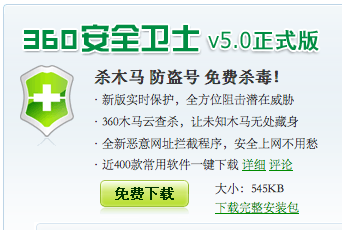
Click the big green button marked 免费下载 (Free Download)
After a second or three you should be able to run the install software. It will download the updates, and show you something like this after a few minutes. Don’t worry that the Chinese is coming up as garbage just yet – we don’t need it.
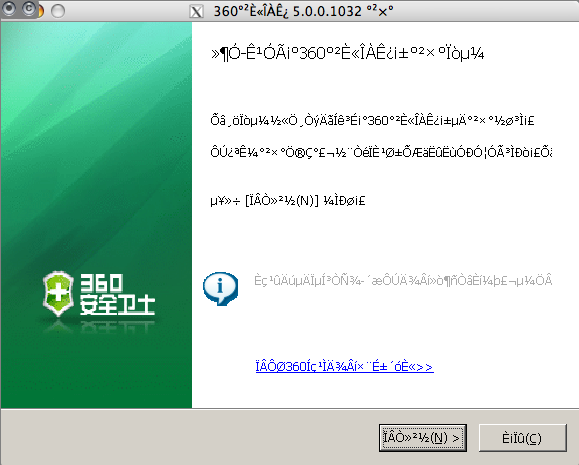
Click Next (the Big highlighted button with the (N) > above).
Then click the button marked (I)
It will prompt you for where to install the Software. The default C:\Program Files\360\360Safe is a good choice.
Click (I) again, and it will trundle away for another minute or so, installing.
When it gets to the next part STOP.
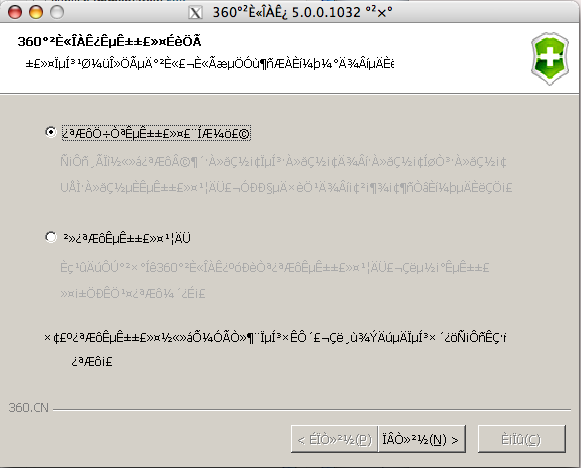
Its asking us if we want to install 360 Safe in the startup. Generally you’ll want to do the American thing, and just say No, so click the bottom selection, and click (N)
Click (N) again on the next screen
The last screen will appear asking us if we want to reboot
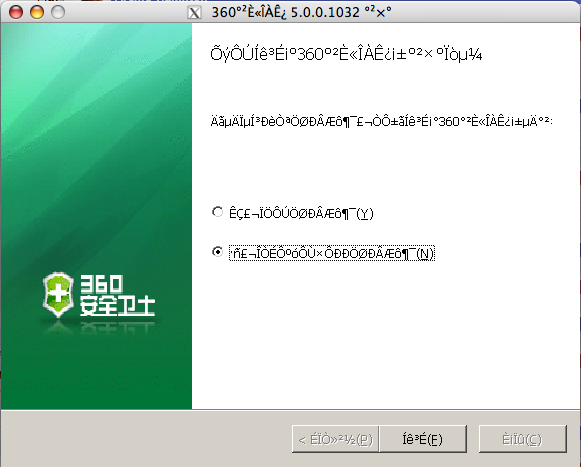
If its convenient, reboot, if not don’t. Doesn’t make a huge amount of difference.
Usage
When you first open up 360 safe, you’ll be presented with a screen looking something like this:
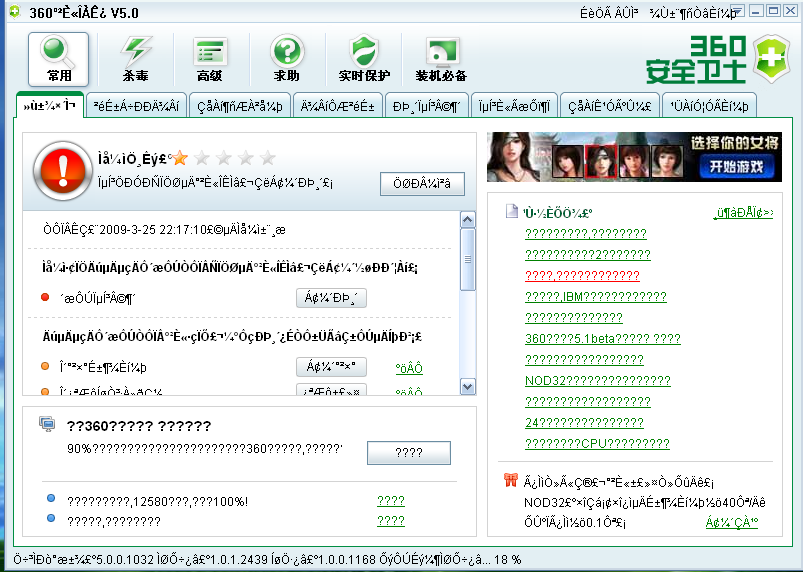
You’ll notice at the bottom things are happening – its downloading updates automatically. (See the 18% above). You can let it finish downloading updates – this usually takes a few minutes or less.
The first thing to do is to scan the computer for spyware.
Click the 常用 button, then click the second tab.
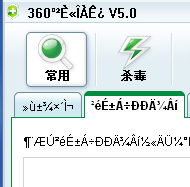
Then click the Scan link

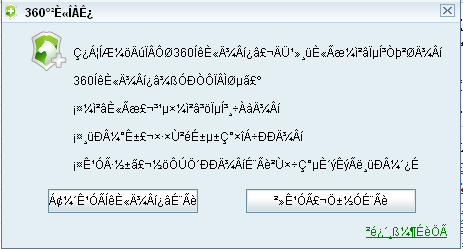
It might ask you whether you want to download updates first (if you haven’t already). If so, click the left button to let it complete the download first prior to scanning.
If it needs to download files, a window similar to the one below will appear. Let it complete downloading, it will disappear automatically once its downloaded its updates.
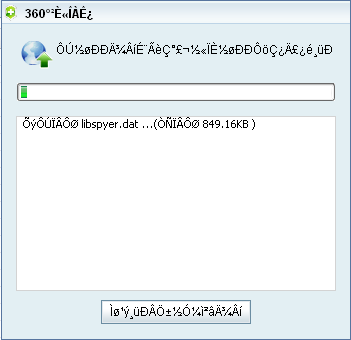
It should start automatically scanning once its updated.
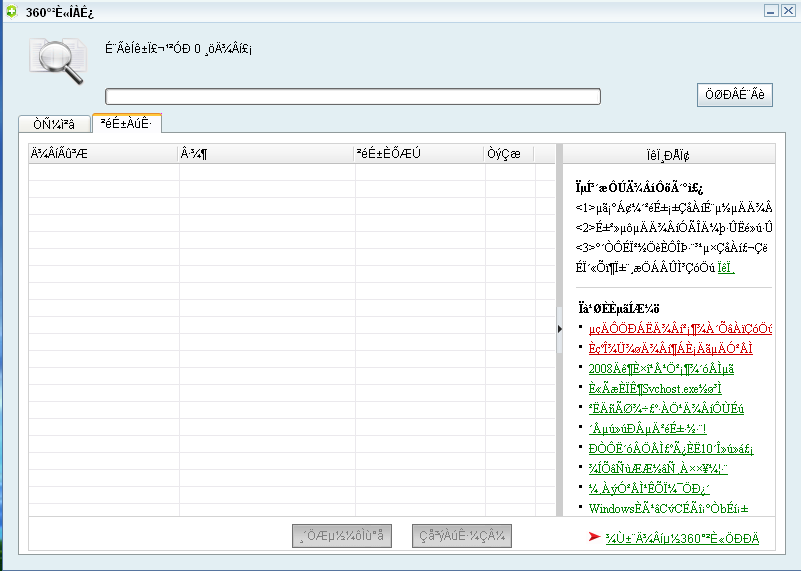
Assuming the computer is clean, you’ll see nothing in the second tab (as above).
If you have spyware, then it will be listed. To remove spyware, just check the box next to whatever is listed, and click the button on the left at the bottom.
This is usually enough to clean up a computer.
If you have some more recalcitrant spyware, then you’ll need to go a step further. Close the previous window, and click the 3rd tab (see below)
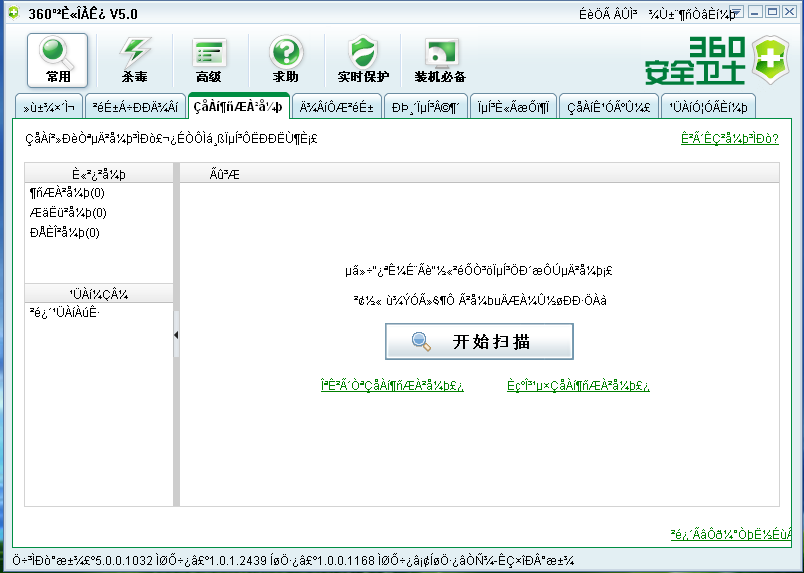
Click the obviously placed scan button in the centre of the page.
It will list whats starting up in your computer on the left hand side.
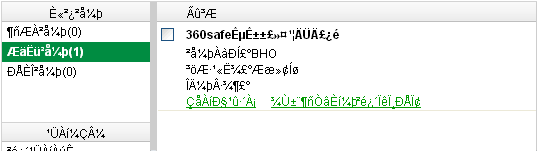
Anything listed in the first row is spyware. (In the picture above I have zero items listed).
If you find anything, click the checkbox next to the listing, and click the left most button at the bottom of the page.
Thats pretty much the extent of it.
If you have something really nasty, 360Safe will prompt you to download one of its more specialized removal tools. If that happens, you’re probably better off bringing the computer to someone who knows what they’re doing, as its likely to be a more complicated removal than the average end user is capable of.
As most of the comments in this post appear to be of the Help! how do I remove 360 (why did you install it in the first place then?) heres how:
Start, Settings, Control Panel
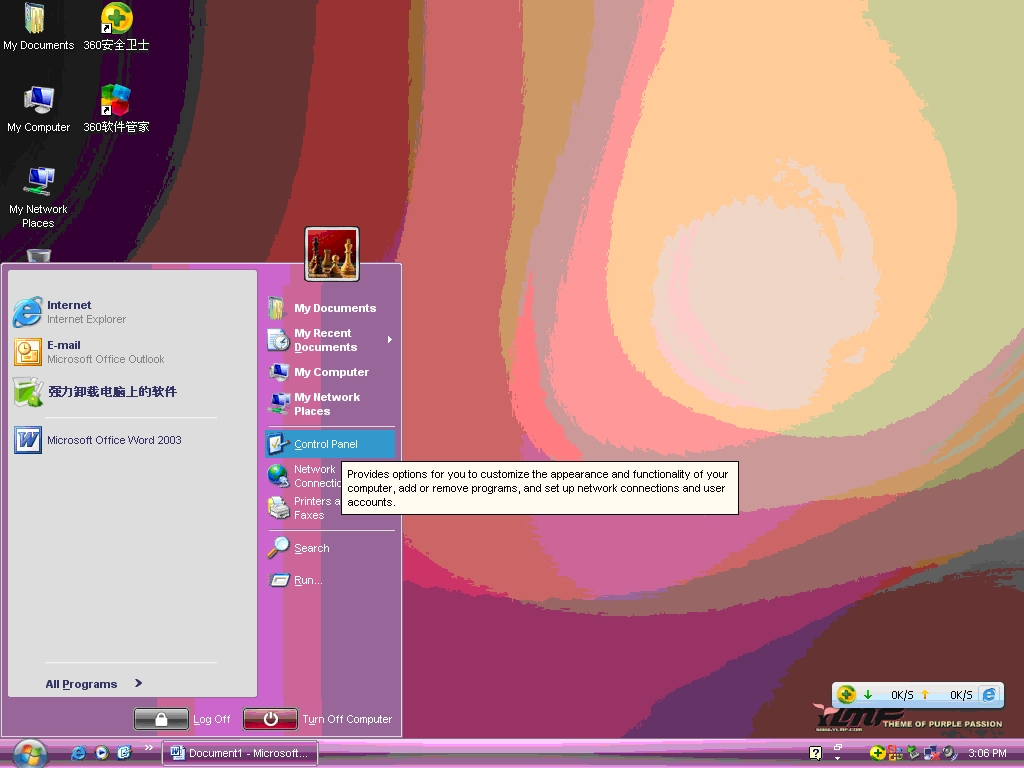
Add Remove Programs.
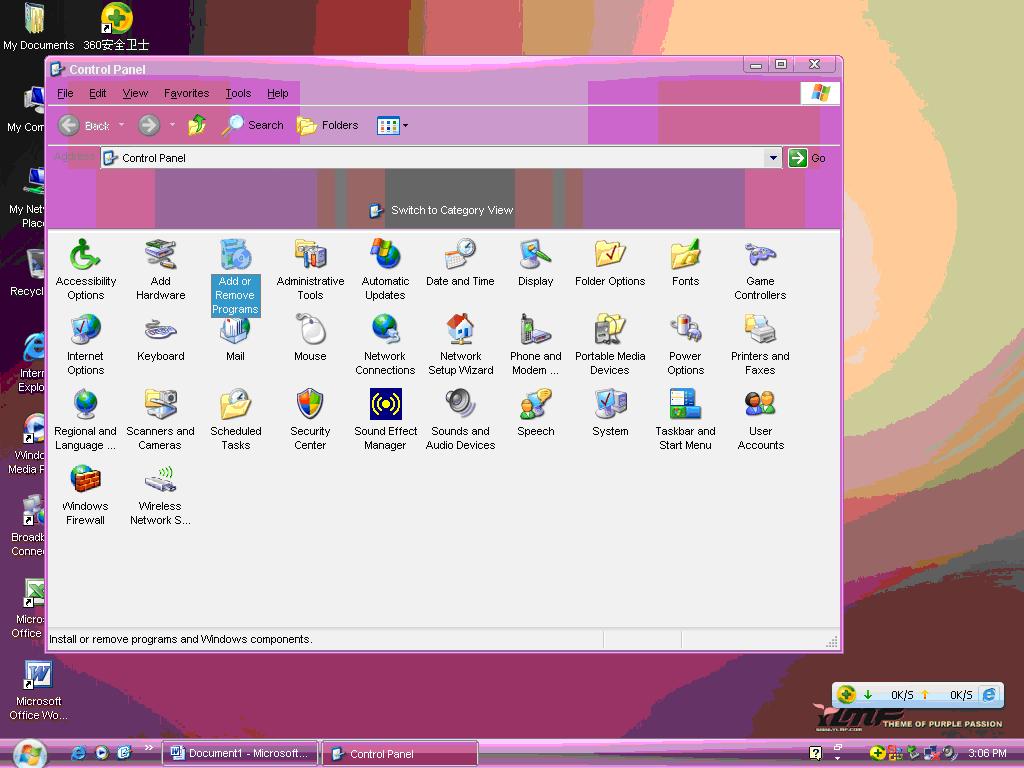
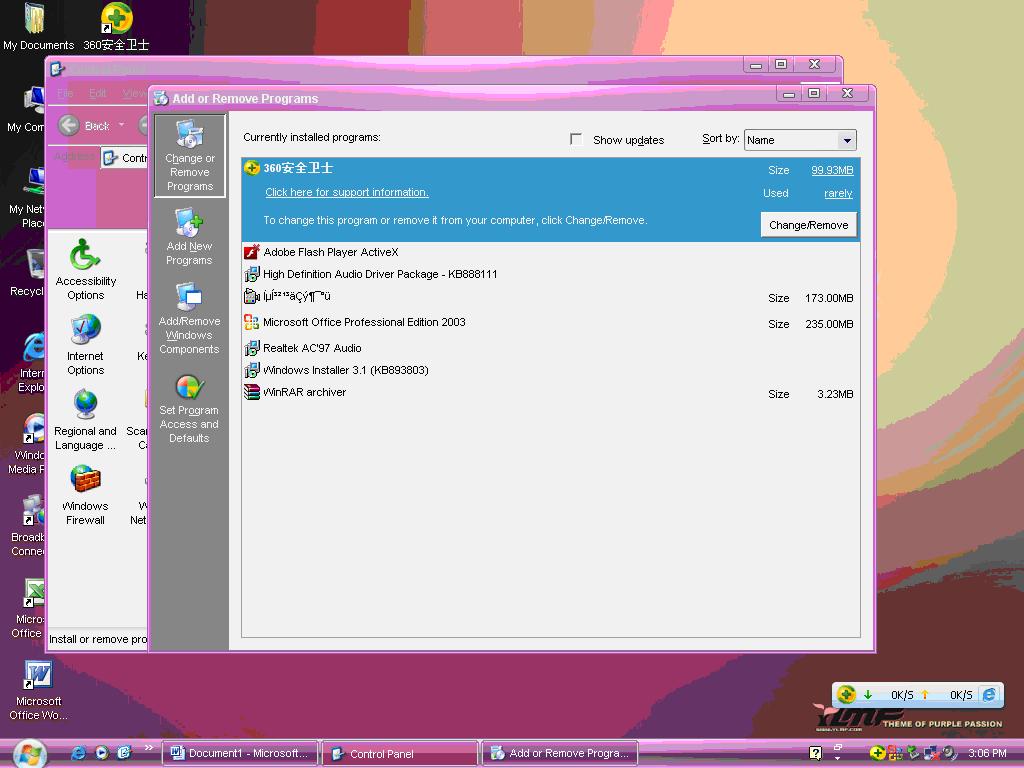
Select 360 Safe
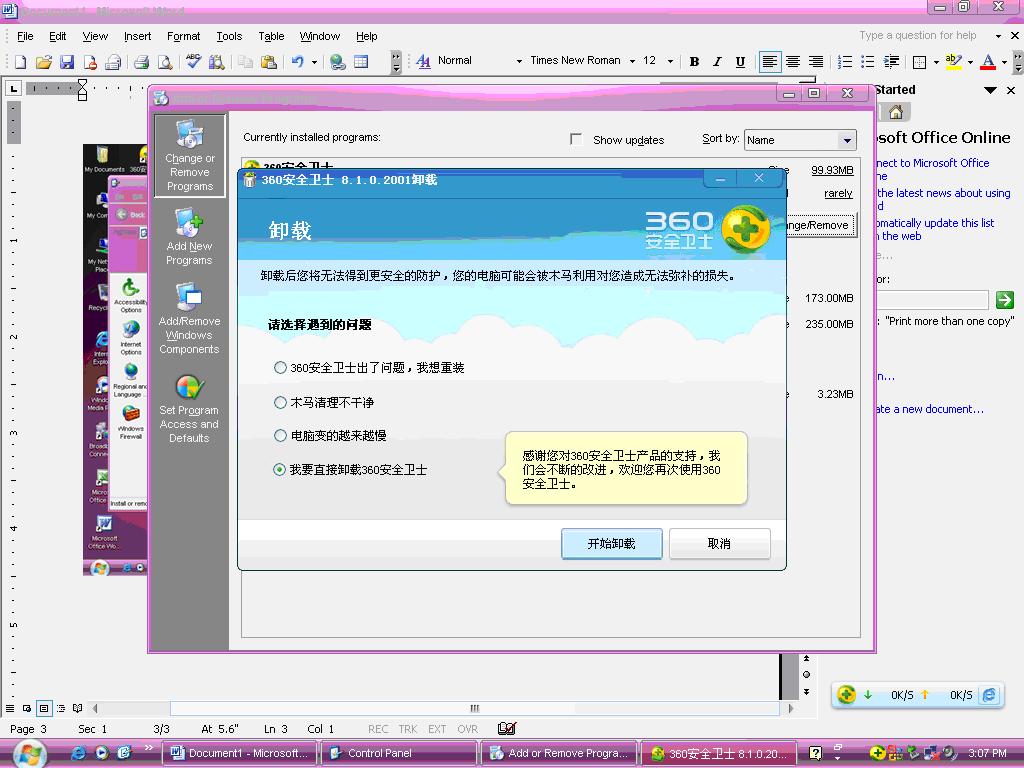
Choose the bottom option, then click next (the left button)
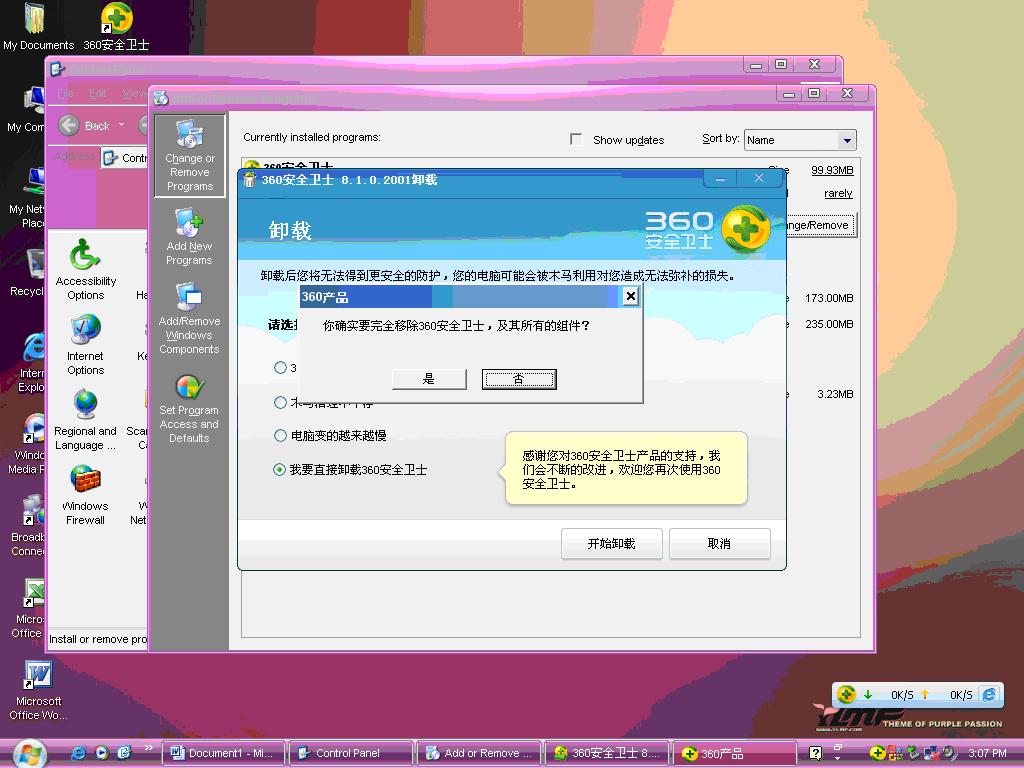
Say Yes to confirm (the Left button)
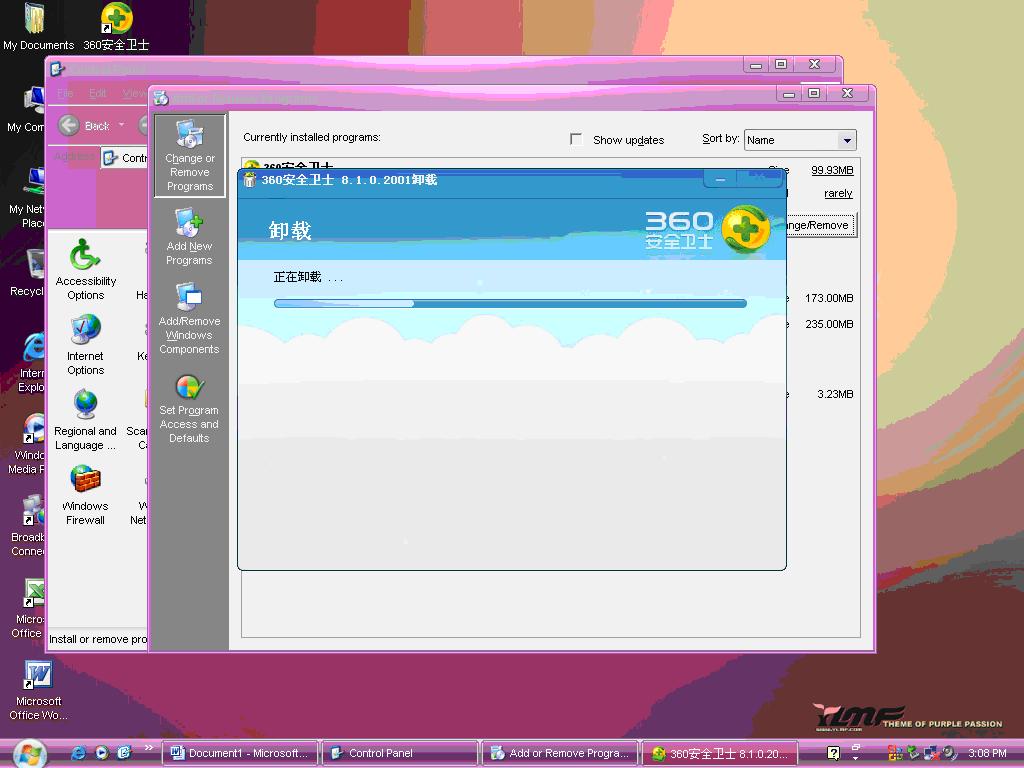
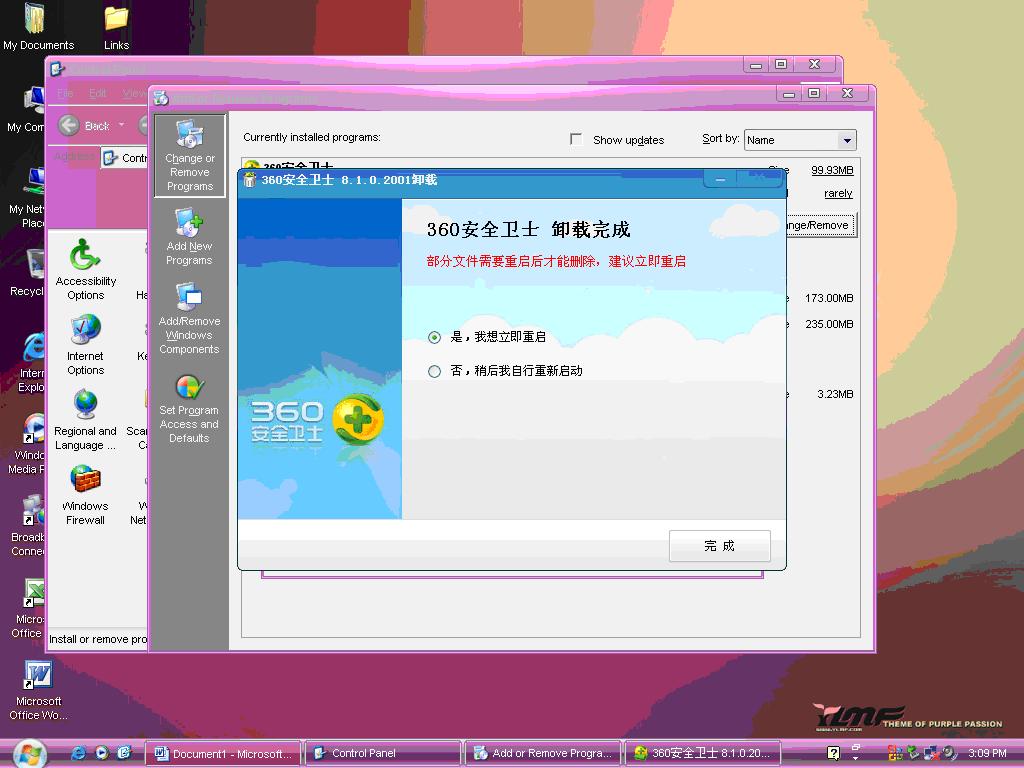
Click Finish (at bottom) to reboot. If you don’t want to immediately reboot, choose the bottom option, then click finish.
Do you like this article? Share It!


Archives
- November 2024
- November 2019
- October 2019
- August 2019
- April 2019
- February 2017
- September 2016
- June 2016
- May 2016
- September 2015
- August 2015
- June 2015
- April 2015
- December 2014
- October 2014
- September 2014
- July 2014
- June 2014
- April 2014
- October 2013
- July 2013
- May 2013
- April 2013
- March 2013
- January 2013
- December 2012
- October 2012
- August 2012
- July 2012
- June 2012
- May 2012
- April 2012
- March 2012
- December 2011
- November 2011
- October 2011
- September 2011
- July 2011
- May 2011
- April 2011
- March 2011
- February 2011
- January 2011
- December 2010
- November 2010
- October 2010
- September 2010
- August 2010
- July 2010
- June 2010
- May 2010
- April 2010
- March 2010
- February 2010
- January 2010
- December 2009
- November 2009
- October 2009
- May 2009
- April 2009
- March 2009
- February 2009
- January 2009
- December 2008
- November 2008
- October 2008
- September 2008
Categories
- Apple
- Arcade Machines
- Badges
- BMW
- China Related
- Cool Hunting
- Exploits
- Firmware
- Food
- General Talk
- government
- IP Cam
- iPhone
- Lasers
- legislation
- MODx
- MySQL
- notice
- qmail
- requirements
- Reviews
- Service Issues
- Tao Bao
- Technical Mumbo Jumbo
- Things that will get me censored
- Travel
- Uncategorized
- Useful Info


